
November 2026
Introducing GhostSpace: Find What's Eating Your Mac Storage
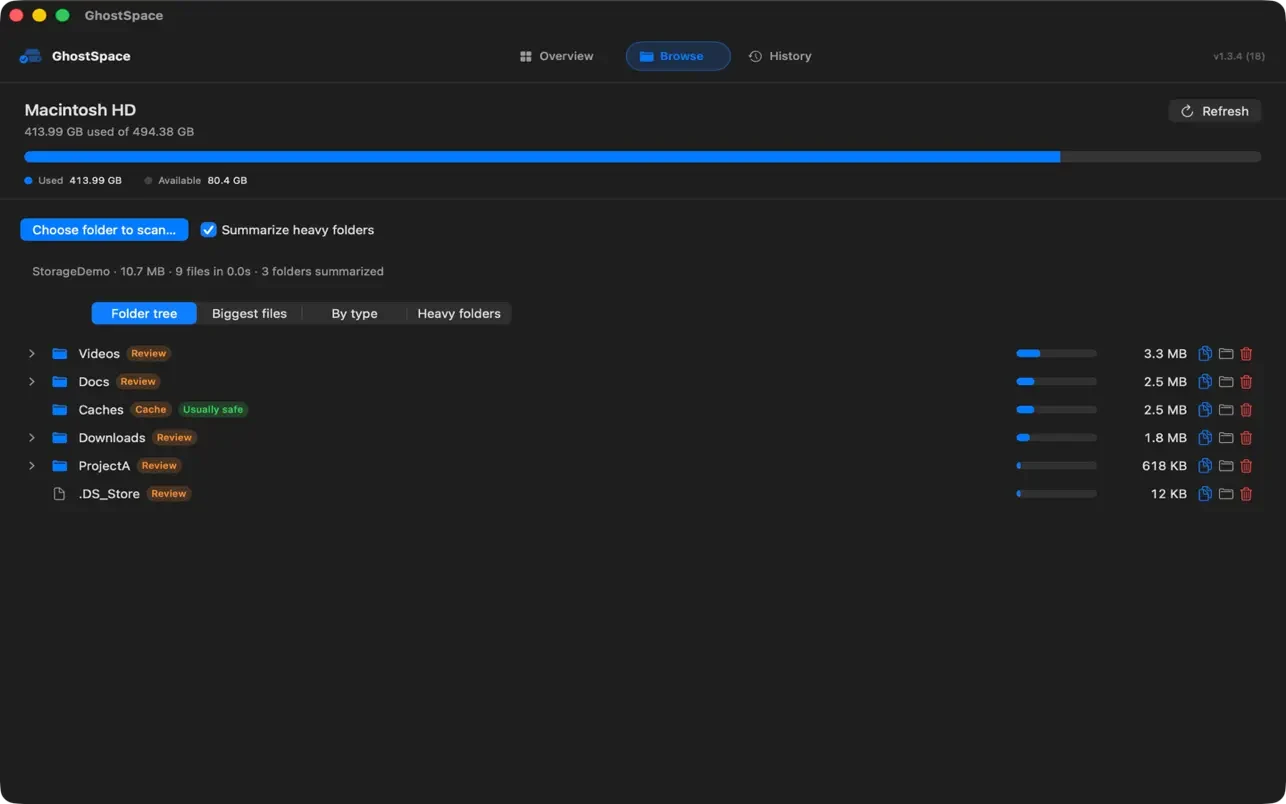
Every Mac fills up eventually. The question is never "how full is my disk?", macOS tells you that. It is "what filled it?". Today we are launching GhostSpace, a small Mac app built to answer exactly that.
You choose a folder, GhostSpace measures it, and you see where the space went: a folder tree sorted by size, the largest individual files, and the heavy folders that quietly grow, such as dependency trees, build caches and app data.
What GhostSpace does
- Browse folder sizes in a familiar tree
- Find the largest individual files
- Group dependency trees, app data and build caches, so scans finish sooner
- Filter heavy folders by name or full path
- Copy paths or reveal items in Finder
- Review the exact path before moving anything to Trash
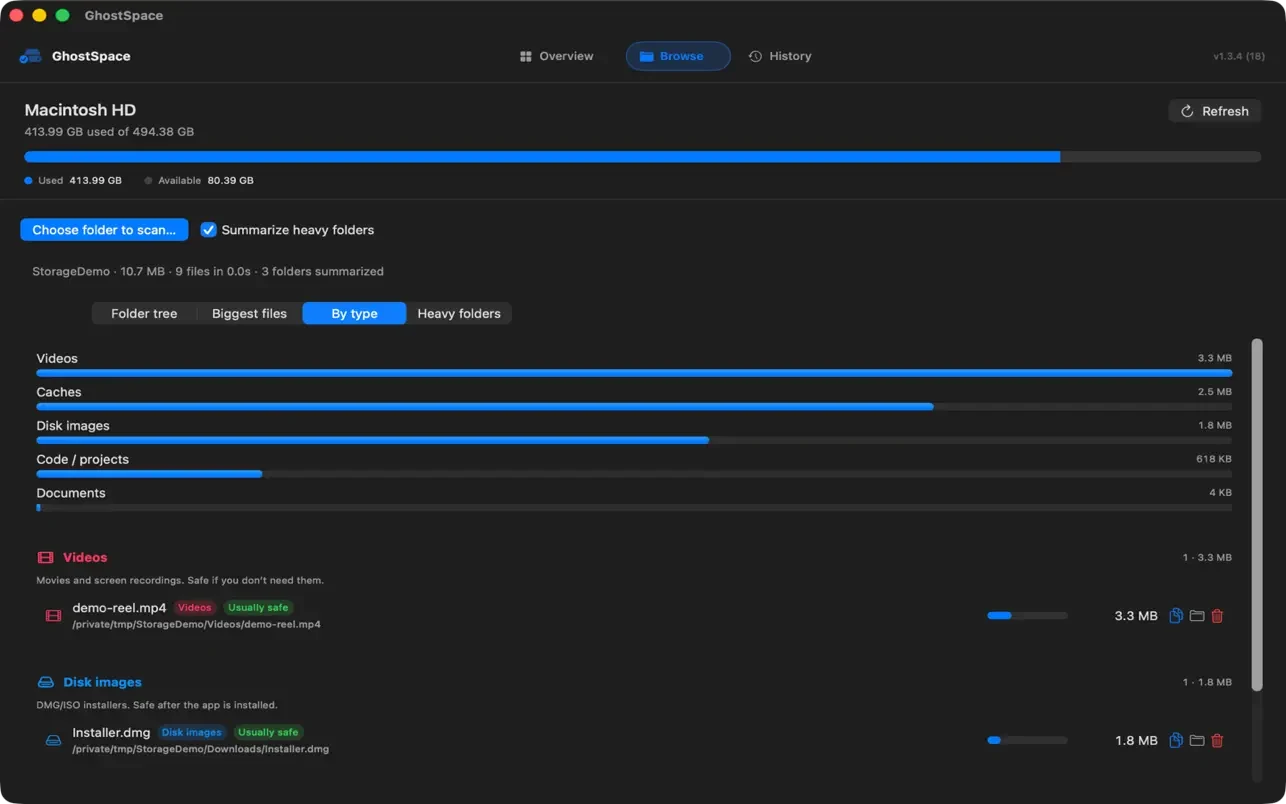
GhostSpace measures allocated size on disk, which is the space a file really occupies, not just the number of bytes in it. Switch to the By type view and the same scan reads as videos, caches, disk images, code and projects, and documents, each with a note on whether it is usually safe to remove.
Private by design
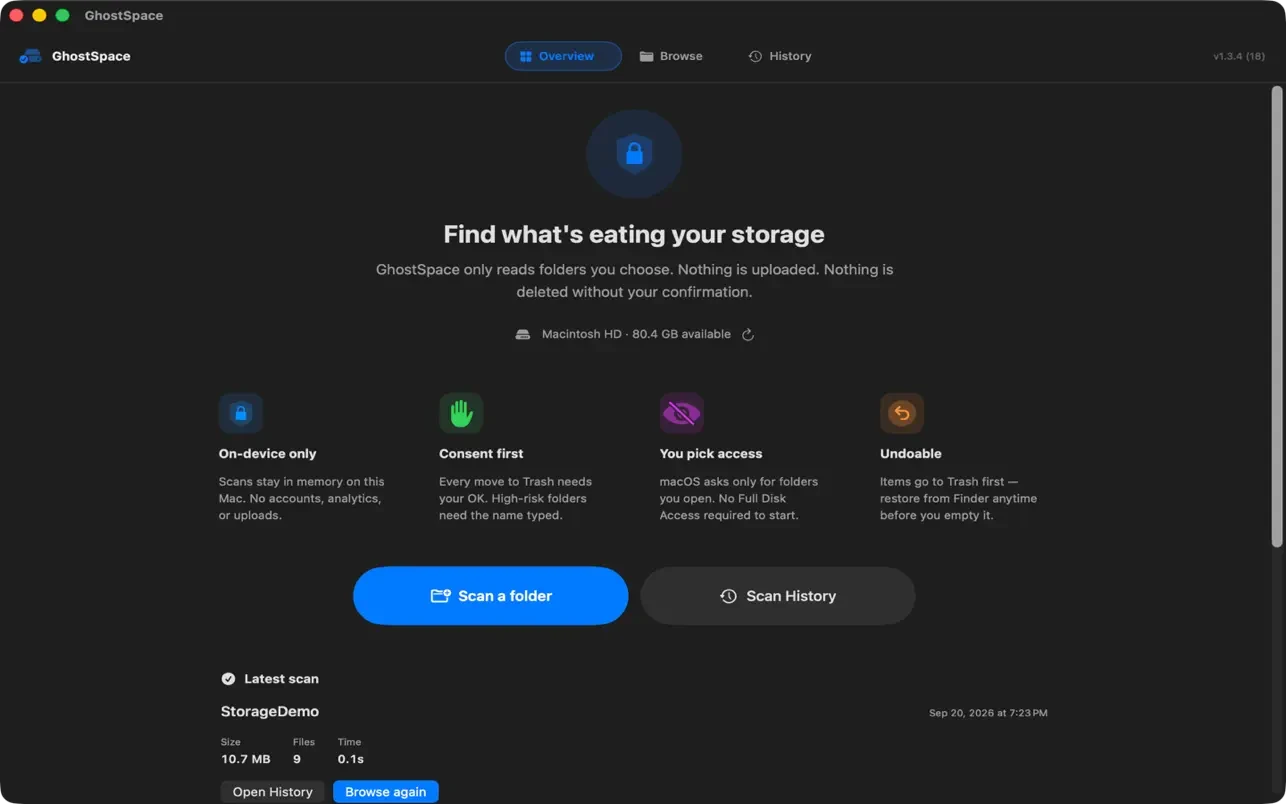
A tool that looks at your files should not need your trust, so it does not ask for much. GhostSpace can only read folders you explicitly choose with the macOS folder picker. Scan results stay on your Mac. There is no account, no analytics, no tracking and no network access.
It is also careful with deleting. Nothing is removed without your confirmation, items go to the Trash first so you can restore them from Finder before you empty it, and high-risk folders ask you to type their name.
Get GhostSpace
GhostSpace is available now on the Mac App Store. You can read more on the GhostSpace page, or download it below.